SP4T Modules
The modules are grouped by what they do to a signal: encoded into a sound field, decoded back for listening, processed as a whole, or worked on channel by channel.
Every jack labelled AMB carries a whole ambisonic signal over a polyphonic cable, with as many channels as the order it was encoded at. A knob with a trim knob and a jack next to it takes CV: the attenuated CV is added to the knob.
Encoders
Turn ordinary audio into an ambisonic sound field.
SP4T Stereo In
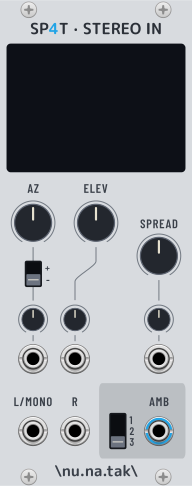
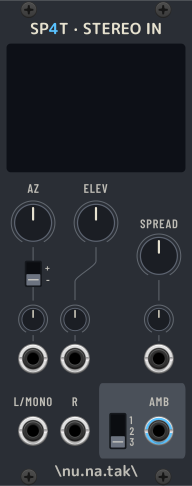
Ambisonic encoder for one panned mono or stereo source.
Places a source in the 3D space with the AZ (azimuth) and ELEV (elevation) knobs. The source is mono when only the left input is patched, and stereo when both are: SPREAD then sets the angle between each of the two sources and the direction the knobs point at. The screen shows where the sources sit.
In: L (mono), R — Out: AMB
Knobs: AZ (±180°), ELEV (±90°), SPREAD (0–90°, default 45°), each with a CV input and a trim
Switches: ambisonic order of the output (1, 2, 3); azimuth direction —
+follows the ambisonic convention, where a positive angle turns the source to the left,-flips it so that turning the knob right moves the source rightRight-click: view mode of the screen
SP4T Source4 In
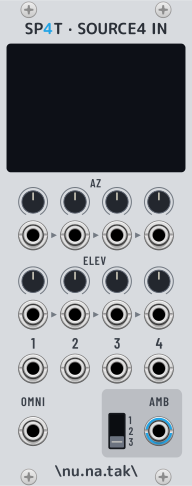
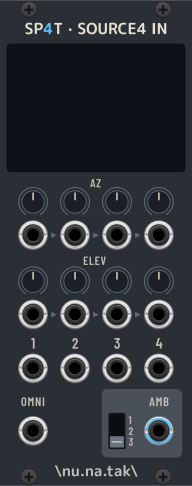
Ambisonic encoder for up to four point sources.
One column per source, each with its own AZ and ELEV knobs and CV inputs. The OMNI input adds a source with no direction of its own, spread evenly in every direction.
Each CV row is normalled from left to right: a jack with nothing patched takes the signal of the nearest patched jack on its left, so one CV can steer several sources, each through its own knob. The triangles between the jacks show it.
In: 4 sources, OMNI — Out: AMB
Knobs: AZ (±180°) and ELEV (±90°) per source, each with a CV input
Switch: ambisonic order of the output (1, 2, 3)
Right-click: view mode of the screen, flip azimuth sign
Decoders
Turn a sound field back into something to listen to.
SP4T Stereo Out


Decodes the sound field to a pair of stereo speakers.
Two virtual speakers in front of the listener, in the horizontal plane. SPREAD is the angle of each from the centre: 0° makes both outputs the same (mono), 90° is hard left/right.
Cheap on CPU, and basic as decoders go. For headphones, use Ears Out instead.
In: AMB, SPREAD CV — Out: L, R
Knob: SPREAD (0–90°, default 45°), with a CV input and a trim
Right-click: crude mode — almost free, using only the W and Y channels (plain mid/side) and ignoring the rest
SP4T Ears Out


Decodes the sound field to headphones (binaural).
A binaural decoder, for listening to the whole field over headphones. It has no head tracking of its own: put Rotate before it to turn the scene.
In: AMB — Out: L, R
Right-click: decoding method (least-squares by default, plus diffuse-field EQ, spatial resampling, time-alignment and magnitude least-squares), max-rE weighting, diffuse-field covariance matching, truncation EQ, and the latency of the filters
Processors
Act on the sound field as a whole, keeping it a sound field.
SP4T Rotate
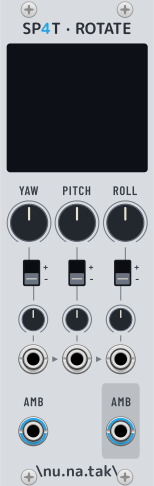
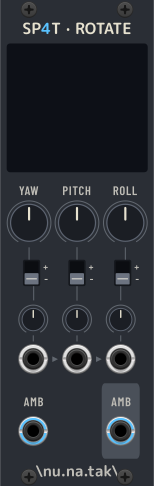
Rotates the whole sound field.
An exact, lossless rotation of everything encoded in the input, around the three axes:
Angle |
Axis |
What it does |
Range |
|---|---|---|---|
Yaw |
Z (vertical) |
turns the scene left/right |
±180° |
Pitch |
Y (left–right) |
tilts the scene up/down |
±90° |
Roll |
X (front–back) |
tilts the scene sideways |
±180° |
The three CV inputs are normalled from left to right, so one CV can drive all
three angles, each through its own attenuverter and +/- direction switch.
In: AMB — Out: AMB
Knobs: YAW, PITCH, ROLL, each with a CV input, a trim and a direction switch
Screen: the rotated axes
SP4T Flip
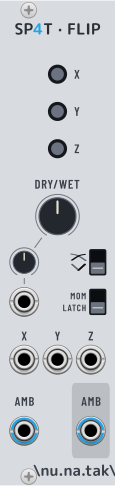
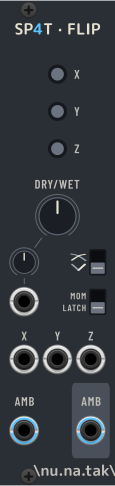
Mirrors the sound field across one or more axes.
Each button flips the field across the X (front–rear), Y (left–right) or Z (top–bottom) axis. Flips combine, and DRY/WET blends the result with the original field — through an equal-power or a through-zero crossfade, whichever the switch selects.
In: AMB, one gate/trigger CV per axis — Out: AMB
Buttons: X, Y, Z
Knob: DRY/WET, with a CV input and an attenuverter
Switches: crossfade curve; whether the buttons and CV inputs are momentary (gate) or latching (trigger, the default)
SP4T Blur Sharp


Blurs or sharpens the sound field.
Changes how sharply the field is drawn without changing its order: the output has as many channels as the input. AMOUNT is the whole module — left of centre blurs, right of centre sharpens, and the middle passes the signal through untouched.
Blurring fades the higher harmonics out, from the top down, until only the omni channel is left: the sound field widens and loses its direction, as a lower-order one would. What survives is turned up as the rest goes, so the field does not simply get quieter — but only partly, and never by more than +3 dB. Compensating in full, as the energy of a recorded field would ask for, means +12 dB on the omni channel at full left on a 3rd-order signal, which clips the moment a patch is anywhere near a normal level. SLOPE sets how wide the fade between harmonics is, from nearly step-like muting to a soft progression; it has nothing to span on a 1st-order signal, and nothing to do at all on the sharpen side.
Sharpening tilts the balance the other way, towards the higher harmonics: the image narrows a little and its side lobes come up. The top harmonics stay at unity, so nothing is added, and the overall level drops as the omni channel is turned down. Full right keeps some of it, which is where the effect is still musical and what makes it undoable.
This is a filter on the sphere, not on frequency: it acts on the whole field at once, direct sound and diffuse alike, and whichever way the field is later turned or decoded.
In: AMB, AMOUNT CV, SLOPE CV — Out: AMB
Knobs: AMOUNT (−100% blur to +100% sharpen, default 0), with a CV input and an attenuverter; SLOPE (0.25 to the order of the input, default 1), with a unipolar CV input
Level: no setting makes any channel louder than +3 dB, and the sharpen side never goes above unity
Utilities
Work on the channels a sound field is made of, or on any polyphonic cable.
SP4T Gain
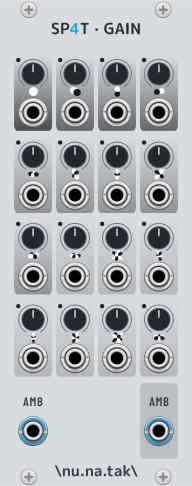
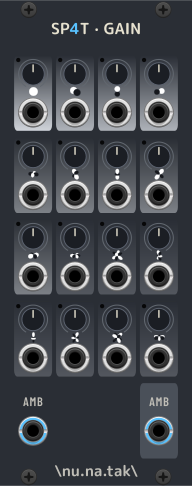
A gain per ambisonic channel.
The 16 ACN channels are laid out as a grid, read from top-left to bottom-right, each with its own gain and LED. Mostly for convenience and for experimenting: changing single channels is not a spatially meaningful operation in general.
In: AMB, one CV per channel — Out: AMB
Knobs: 16 gains (0–2x). Each CV input is normalled to 5 V, so the gain is the knob’s own with nothing patched
SP4T Mute
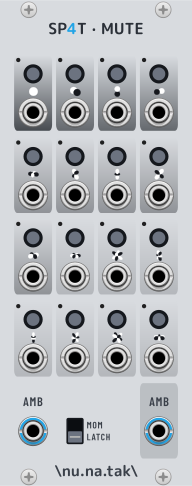
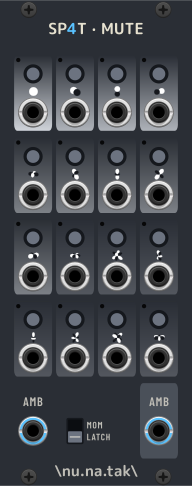
A mute per ambisonic channel.
The same grid as Gain, with a button per channel instead. Muting fades rather than cuts, so it does not click.
In: AMB, one gate/trigger CV per channel — Out: AMB
Buttons: 16 mutes
Switch: whether the buttons and CV inputs are momentary (gate) or latching (trigger, the default)
SP4T Split Insert
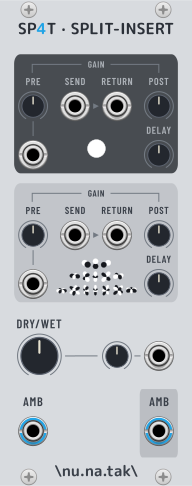
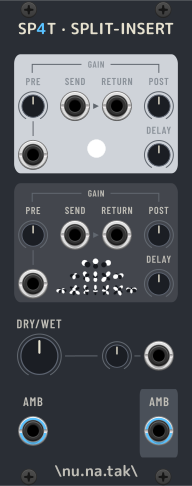
Two effect inserts, one for the omni part of the field and one for the rest.
The input is split in two: the omni-directional channel goes through the top send and return, every directional channel through the bottom ones, and the two are merged back into the output. Patch an effect into either loop to process one without touching the other — reverb on the omni part only, say. A send with nothing patched into its return passes straight through.
Each loop has a gain before and after the effect, and a delay compensation in samples: set it to the latency of the effect in that loop, and both the dry signal and the other loop are held back to match.
In: AMB, two returns — Out: AMB, two sends
Knobs per loop: PRE gain (0–2x, with a CV input), POST gain (0–2x), DELAY (0–4096 samples)
Knob: DRY/WET, with a CV input and an attenuverter
Right-click: the latency the inserts introduce
SP4T Split
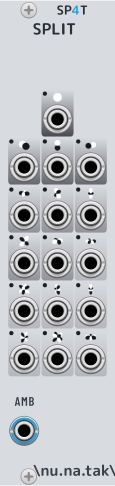
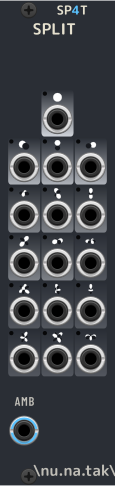
Splits an ambisonic signal into its separate channels.
What VCV’s Split does, with a panel laid out for ambisonics: the 16 ACN channels as a grid, from top-left to bottom-right. Channels the input does not carry stay at 0 V.
In: AMB — Out: 16 single channels
SP4T Merge
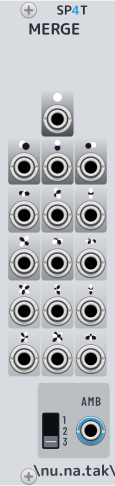
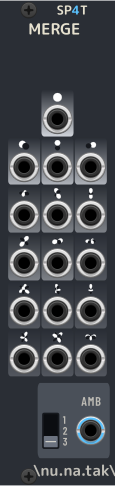
Builds an ambisonic signal from separate channels.
The counterpart of Split, and VCV’s Merge with an ambisonic panel. The switch sets the order of the output; inputs with nothing patched are 0 V, and inputs beyond the chosen order are ignored.
In: 16 single channels — Out: AMB
Switch: ambisonic order of the output (1, 2, 3)
SP4T Smear


Decorrelates the channels of a polyphonic signal.
Makes the channels less alike without changing what each of them sounds like. On an ambisonic signal it widens and blurs the image; it works on any polyphonic cable.
Two decorrelators to choose from in the right-click menu. Velvet noise, the default, spreads each channel over a few tens of milliseconds through a sparse pattern of its own: no latency, and a few times cheaper, though still not free. Time-frequency takes the channels apart band by band instead, which is finer and lets transients pass untouched, but delays the signal by some 35 ms and costs several times more.
Below the bass split frequency the velvet noise engine leaves the signal alone: smeared low end is what makes a decorrelator sound loose.
In: polyphonic, AMOUNT CV — Out: polyphonic
Knob: AMOUNT (0–1, default 0.5), with a CV input and a trim
Right-click: decorrelator, bass split (velvet noise), bypass transients (time-frequency), compensate level, and the latency in force